SMS Consent & Messaging Policy
Last Updated: March 8, 2026
Who Sends Messages
SMS messages are sent by Ryan McHarg / mcharg.site via Twilio from the phone number +1 (206) 432-4496.
Types of Messages
If you opt in to SMS, you may receive:
- Account notifications — e.g., account approval confirmation
- Appointment reminders — for scheduled meetings or calls
- Inquiry responses — follow-ups to your contact form submissions
Note: MFA verification codes are security messages sent separately by our authentication provider (Amazon Cognito via AWS SNS) and are not subject to this consent policy.
How You Opt In
SMS consent is explicit opt-in only. We collect consent through an unchecked-by-default checkbox that you must actively check to receive SMS messages. This checkbox appears in two places:
1. Account Request Form
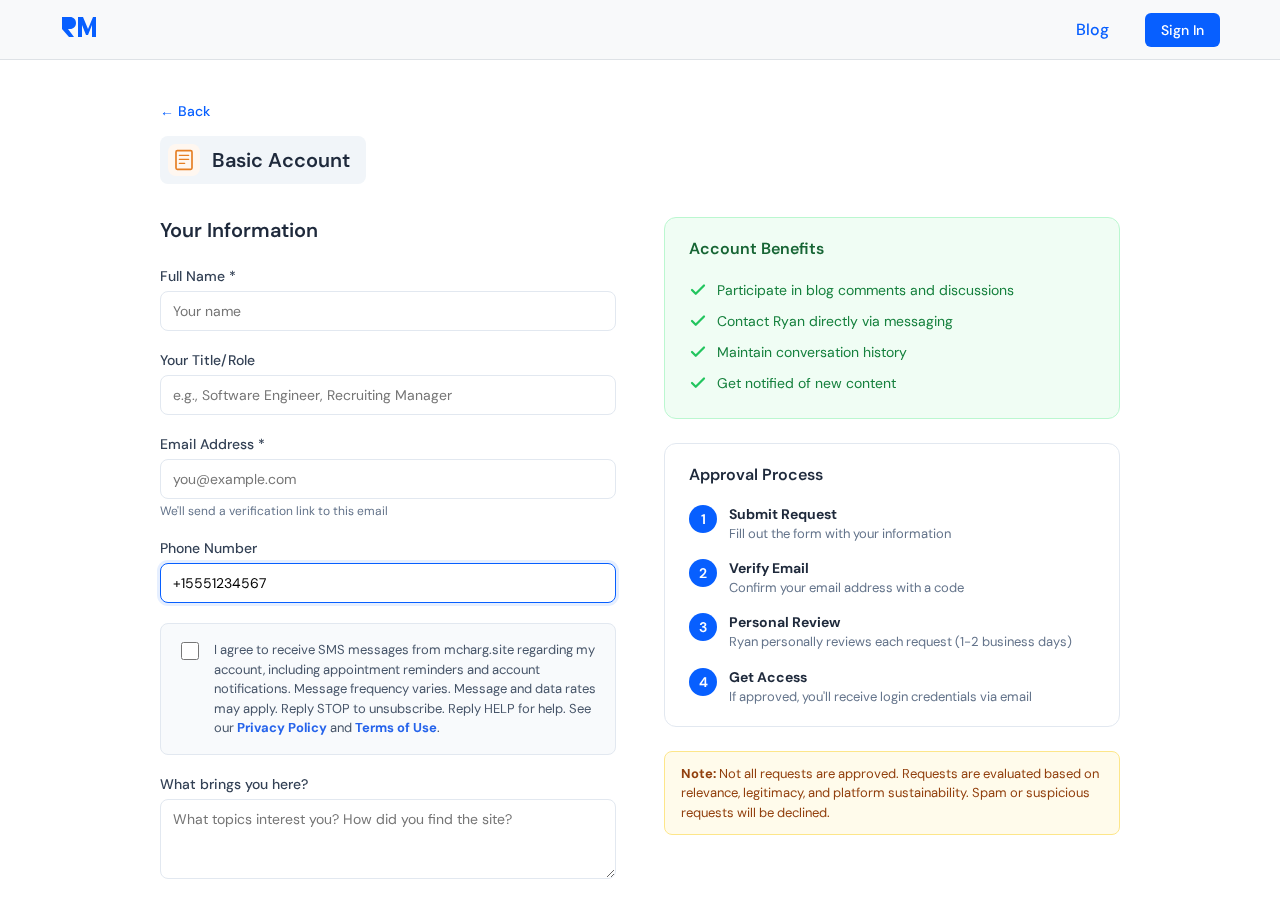
When requesting an account at mcharg.site/request-account, you may provide a phone number. If you do, an SMS consent checkbox appears with the following text:
I agree to receive SMS messages from mcharg.site regarding my account, including appointment reminders and account notifications. Message frequency varies. Message and data rates may apply. Reply STOP to unsubscribe. Reply HELP for help. See our Privacy Policy and Terms of Use.
2. Contact Widget
The embedded widget on the site includes a guest contact form where visitors may provide a phone number. If provided, an SMS consent checkbox appears with the following text:
I agree to receive SMS messages from mcharg.site regarding my inquiry, including appointment reminders and follow-up notifications. Message frequency varies. Msg & data rates may apply. Reply STOP to unsubscribe. Reply HELP for help.
Both checkboxes are unchecked by default. No SMS messages are sent unless the user explicitly checks the box.
How You Opt Out
You can stop receiving SMS messages at any time by:
- Replying STOP to any message from +1 (206) 432-4496
- Updating your preferences in your account settings (Profile > Communication Preferences)
- Contacting ryan@mcharg.site
How to Get Help
- Reply HELP to any message from +1 (206) 432-4496
- Email ryan@mcharg.site
Message Frequency
Message frequency varies based on your interactions with the platform (account activity, scheduled appointments, inquiry follow-ups). This is not a recurring marketing campaign — messages are triggered by your specific actions and account events.
Message and Data Rates
Message and data rates may apply. Contact your mobile carrier for details about your plan.
No Sharing of Mobile Information
Your mobile phone number and SMS consent information will not be shared with or sold to third parties or affiliates for any purpose. Your mobile information is used solely for the purposes described on this page.
How Consent Is Stored and Enforced
When you check the SMS consent box:
- Your consent choice (
smsConsent: true/false) is recorded in your user profile - Before every SMS is sent, the system checks that
smsConsent === true - If consent is not explicitly true, the SMS is not sent — there is no implied consent
- Users with accounts created before consent tracking was implemented are treated as non-consented (no SMS)
Managing Preferences After Account Creation
Authenticated users can manage their SMS consent at any time from their profile page. Navigate to Profile > Communication Preferences to toggle SMS notifications on or off.
Implementation Evidence
Screenshots of the SMS consent implementation across the platform, captured March 8, 2026.
1. Account Request Form — SMS Consent Checkbox
When a visitor enters a phone number on the account request form, an unchecked-by-default SMS consent checkbox appears with compliant disclosure text including STOP/HELP keywords, message frequency, data rates, and links to Privacy Policy and Terms of Use.
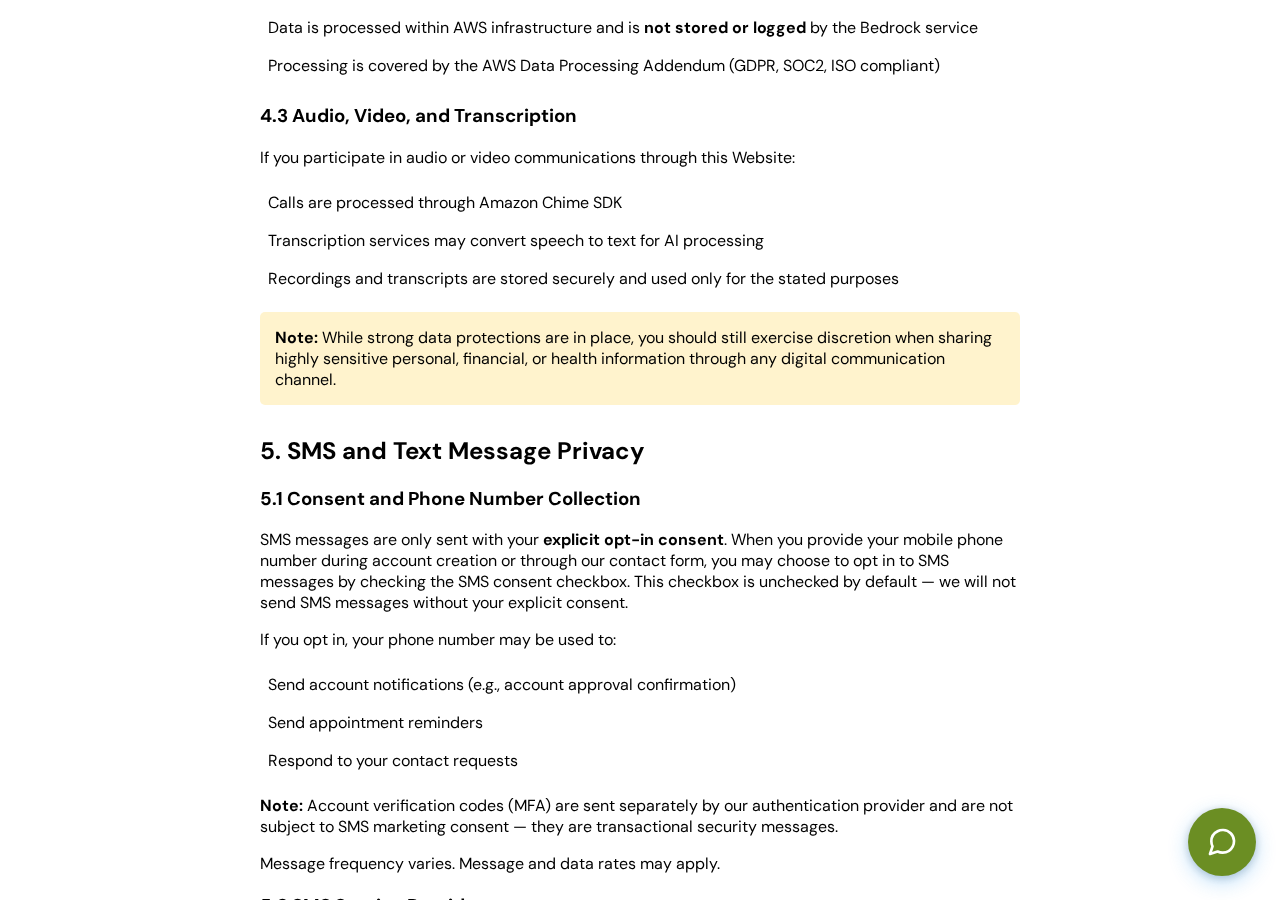
2. Privacy Policy — Section 5: SMS and Text Message Privacy
The Privacy Policy (updated March 8, 2026) includes a dedicated section covering explicit opt-in consent, unchecked-by-default checkbox, message types, MFA distinction, opt-out methods, and no sharing of mobile information with third parties.
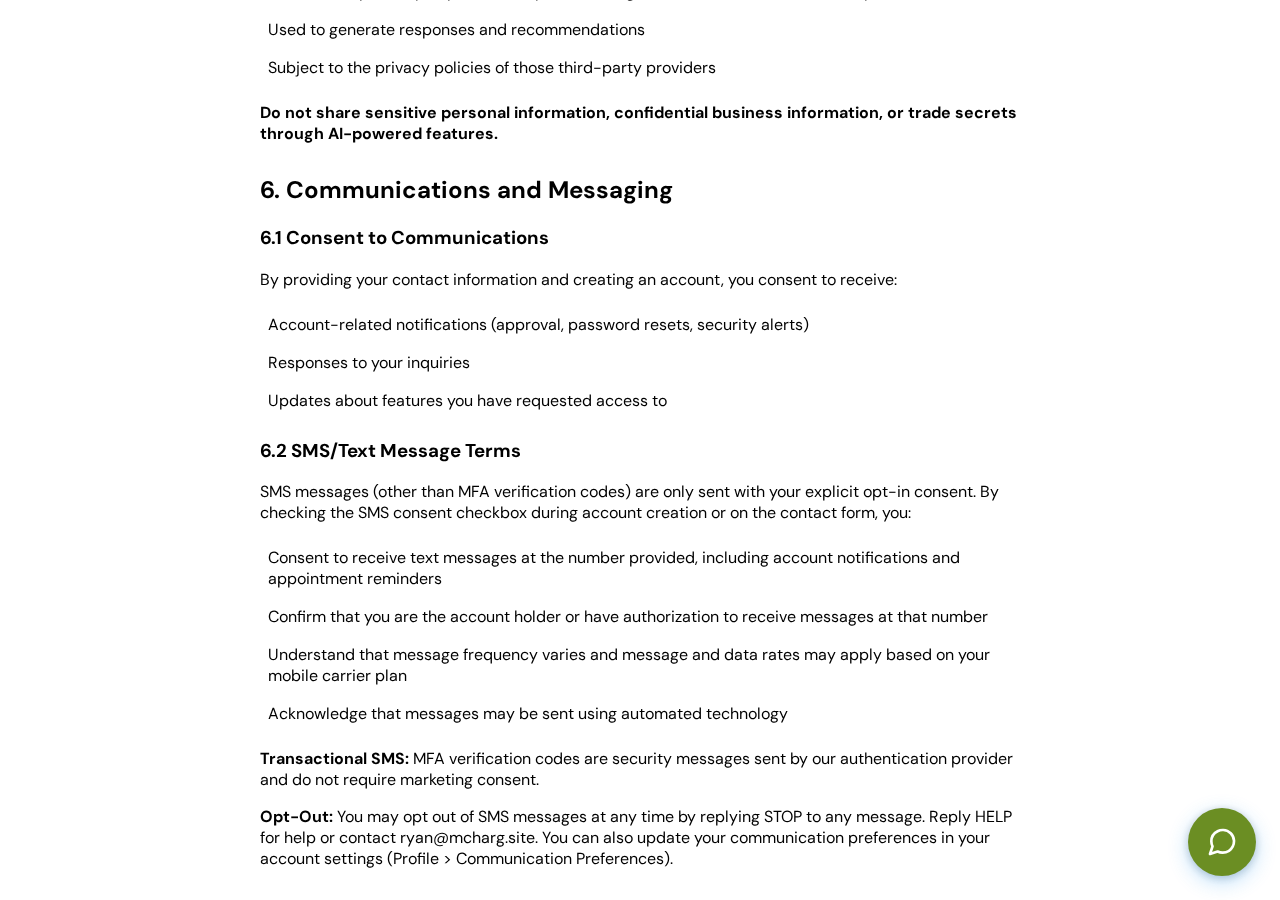
3. Terms of Use — Section 6.2: SMS/Text Message Terms
The Terms of Use (updated March 8, 2026) includes SMS-specific terms covering checkbox-based consent, message types, MFA transactional distinction, STOP/HELP keywords, and opt-out methods including in-app Communication Preferences.
4. Profile — Communication Preferences (Authenticated)
Authenticated users can manage their SMS consent from their profile page under Communication Preferences. This section shows a toggle to enable/disable SMS notifications, the masked phone number on file, and consent disclosure text. (Screenshot requires authentication.)
Technical Implementation Summary
- Consent field:
smsConsent: booleanon user profile (DynamoDB) - Default:
false(no implied consent; pre-existing users treated as non-consented) - Enforcement: SMS only sent when
smsConsent === true(strict equality) - Opt-in method: Unchecked checkbox on account request form and contact widget
- Opt-out methods: Reply STOP, Profile > Communication Preferences, email ryan@mcharg.site
- Self-service: Authenticated users toggle SMS consent via
PUT /profile/preferences - No sharing: Mobile information not shared with or sold to third parties
For complete details, see our Privacy Policy and Terms of Use.
Ryan McHarg
Website: mcharg.site
Email: ryan@mcharg.site